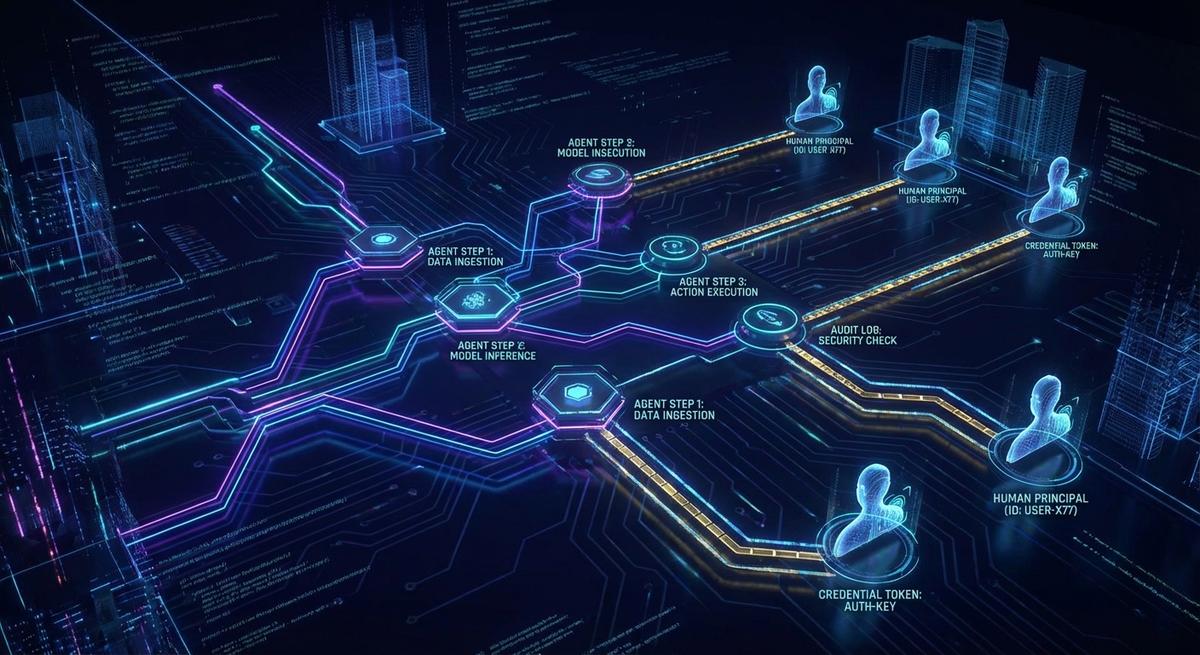
Your AI agent just rotated a production credential, sent three API calls, and wrote to a database. Ask it what it did. It has no idea.
That’s not a bug. It’s the design. Statelessness is one of the core properties that makes agents fast, scalable, and easy to compose into pipelines. It’s also what makes incident response a genuine nightmare when something goes wrong.
“Check the logs” sounds simple until you realize the logs show a service account made a call, but nothing about which agent workflow made the decision, which human triggered it, or whether the action was expected or anomalous. This post is about closing that gap.
What Stateless Actually Means (And Why It Bites You Later)
Every agent invocation starts with a blank slate. The LLM has no memory of what it did in a previous run. The context window is built fresh from a system prompt, whatever state your orchestration layer injects, and the current task. When the run ends, all of that disappears.
This is intentional. A stateless agent is horizontally scalable. You can spin up 50 parallel instances without worrying about shared state or race conditions. You can restart a failed run without cleanup. You get predictable behavior because there’s no accumulated context drifting between executions.
The tradeoff is that the agent itself cannot tell you what it did. The decision to call a tool, the reasoning behind choosing one API over another, the fact that this run was triggered by a specific user request: none of that persists in the agent. If you want it recorded somewhere, your infrastructure has to do the recording.
Most popular agent frameworks don’t do this by default. LangChain logs LLM calls when you enable verbose mode, but that’s debugging output, not an audit record. AutoGen has conversation history within a session, not across sessions. CrewAI tracks task results but not tool call attribution at the credential level. The frameworks optimize for developer experience and output quality. Security and compliance logging is left to you.
That gap is where incidents live.
The Three Gaps That Make Incident Response Painful
When something goes wrong in an agent workflow: wrong data written, credentials leaked, unexpected API calls. You typically hit three concrete problems before you can answer what happened.
Gap 1: Tool call logs exist in isolation. Your API gateway logged an inbound request. Your cloud provider logged a storage write. Your database logged a query. But none of those logs know about each other. You can see that a call happened, but the agent decision that caused it is invisible. Was this call expected? Was it the result of a legitimate task or an injected instruction? The logs don’t say.
Gap 2: Credential use is tied to a service account, not an agent identity. Most teams give agents API keys attached to a service account. That service account shows up in logs. But if three different agents share the same service account (or the same key), all their actions look identical in the log. When you’re investigating a suspicious call at 2 AM, you cannot tell which agent made it, which workflow it was part of, or which human triggered that workflow.
Gap 3: Multi-agent pipelines fragment the trace. A common pattern now is an orchestrator agent that spawns subagents for specific tasks. Each subagent makes its own tool calls. The trace is split across multiple systems, often with no shared identifier. Reconstructing the full sequence of what happened requires manually correlating timestamps and guessing at the relationship between calls. This is a miserable way to do incident response, and it gets worse as pipelines grow.
All three gaps compound each other. You end up in a situation where you have plenty of raw logs but cannot actually answer the question every security team eventually faces: “Show me exactly what this agent did, in order, and who authorized it.”
What a Workflow-Level Audit Trail Actually Contains
A real audit trail for agent workflows isn’t just verbose logging. It has a specific structure that makes investigation tractable. Here’s what it needs to include.
Agent identity. Not just “an agent ran.” Which agent definition, which version, which model. If you’re deploying agent workflows at any scale, you’ll have multiple versions in production simultaneously. Knowing whether a concerning behavior came from v1.2 or v1.3 of an agent is often the fastest way to understand the cause.
Trigger identity. Which human or upstream system initiated this workflow run. This is the chain-of-custody anchor. Every downstream action in the workflow traces back to an initiating principal. Without it, you have actions without attribution.
Step-level trace. Each tool call recorded with its inputs, outputs, and timestamp. The inputs matter as much as the outputs. “The agent called the database write tool” is less useful than “the agent called the database write tool with these parameters, immediately after receiving this response from the search tool.”
Credential reference. Which credential was used for each tool call. Not the credential value; the reference ID. You want to know that call X used token Y, and token Y was issued for workflow run Z, without ever logging the actual secret.
Correlation ID. A single identifier shared across every tool call in a workflow run. This is what lets you reconstruct the full sequence from fragmented logs. Generate it at workflow start, inject it into every tool call, and make sure every system that receives those calls includes it in their own logs.
Decision rationale. The prompt context or reasoning that led to a specific tool invocation. This doesn’t mean logging the entire context window for every call. It means capturing enough of the agent’s reasoning that a human reviewer can understand why the tool was called. A snippet of the relevant prompt, the tool selection rationale if your framework exposes it, or a structured reason field your orchestration layer populates.
Together, these six elements turn fragmented logs into an investigable record. You can answer “what did the agent do, in what order, for what reason, with which credentials, triggered by whom.”
The Credential Problem Inside the Audit Problem
Even if you implement everything above, there’s a specific failure mode that workflow-level logging alone doesn’t solve: shared credentials.
Standard log entries show which service account made an API call. If ten agent workflows share one API key, every call they make looks identical in the provider’s logs. Your internal workflow audit records might know which agent used that key, but the external audit trail, the one your cloud provider, payment processor, or data service keeps, shows nothing but the key identity.
This matters in two scenarios. First, when something goes wrong on the provider side and you need to correlate their logs with yours. Their reference is the key. Yours is the workflow run ID. You need a mapping between them, and if the key is shared, the mapping is ambiguous.
Second, when you need to demonstrate to an auditor that a specific agent only accessed what it was authorized to access. Shared keys make this impossible to prove. The key had broad access, the key was used, you cannot demonstrate which agent used which scope.
Scoped session tokens solve this. Instead of giving every workflow the same long-lived key, issue each workflow run a short-lived token scoped to exactly the resources that workflow needs. The token has a reference ID that maps back to the workflow run in your audit trail. When the token appears in an external log, you can trace it back to the workflow, the agent, and the triggering principal.
This is what the phantom token pattern provides in a security context. Not just a shorter credential lifespan, but a specific attribution mechanism that connects external logs to internal audit records without exposing the credential value in either.
How to Add Workflow Audit Logging Without Rebuilding Your Stack
You don’t need a new infrastructure platform to get meaningful audit trails. Three practical approaches, ordered from lightest to most robust.
Option 1: Middleware wrapper around tool calls. Write a thin wrapper that any tool call passes through. The wrapper generates or receives the workflow correlation ID, logs the tool name, inputs (sanitized), outputs, timestamp, and credential reference before forwarding. This is 40-50 lines of code in most frameworks and gives you structured events for every tool call.
This approach works well when you control the tool definitions and can modify them. It breaks down if you’re using third-party tools or sub-agents you don’t own.
Option 2: OpenTelemetry spans with agent-specific attributes. If your infrastructure already uses OpenTelemetry for distributed tracing, extend it. Create a span for each workflow run. Create child spans for each tool call. Add agent-specific attributes: agent.id, agent.version, workflow.run_id, tool.name, credential.ref. Your existing trace aggregation picks these up without additional infrastructure.
This integrates cleanly with systems like Jaeger, Honeycomb, or Datadog tracing. The correlation between agent workflow spans and infrastructure spans happens automatically through the trace context propagation that OpenTelemetry handles.
Option 3: Structured log schema with mandatory fields. Define a schema that every tool call must emit before returning. Something like:
{
  "workflow_run_id": "wf_abc123",
  "agent_id": "summarizer-v2",
  "trigger_principal": "user_456",
  "tool_name": "database_write",
  "credential_ref": "tok_session_789",
  "timestamp": "2026-04-08T14:23:01Z",
  "inputs_hash": "sha256:...",
  "status": "success"
}
Note inputs_hash rather than raw inputs. For sensitive tool calls, you want to prove what was called without logging potentially sensitive parameters in plaintext. The hash is verifiable without being readable.
For workflow start and end, log the trigger identity, the agent configuration, the model version, and the overall outcome. This gives you a bookend structure that makes it easy to identify incomplete or interrupted runs.
One practical note on correlation IDs: generate them at the outermost workflow boundary, pass them as context through every async tool call, and never let a tool call execute without one. The moment you allow untraced calls “just for this edge case,” the audit trail has gaps that will surface at the worst possible time.
Compliance Asks the Same Questions Security Does
The audit trail requirements above might feel like security engineering concerns. They’re also compliance requirements that are already being enforced.
SOC 2 Type II requires access logs that show who accessed what, when, and with what authorization. “Who” used to mean a human or a service account. Auditors now expect that automated systems, including AI agents, are treated as principals subject to the same logging standards. If your agents are accessing customer data or production systems, they need to appear in access logs with the same attribution clarity as human users.
GDPR creates a specific problem for agents that process personal data. If a user requests a data access report or a deletion, you need to show every system that touched their data. An agent workflow that reads customer records to generate a summary is a data access event. If that access isn’t attributed in your logs, you cannot produce a complete data subject access response. Regulators have started asking specifically about automated systems in GDPR audits.
ISO 27001 A.12.4 requires audit logs for all information processing systems. The standard doesn’t have carve-outs for AI agents or automated workflows. If the system processes information, it needs logs.
The practical auditor question is: “Can you show me every action this AI system took on behalf of user X in the last 90 days?” If you cannot answer that question with confidence, you have a compliance gap, not just a security gap. The answer requires the workflow audit trail structure described above: agent identity, trigger identity, step-level trace, credential references, and correlation IDs.
Building that infrastructure now, before the audit, is dramatically less painful than retrofitting it afterward.
Audit trails tell you what happened. Scoped session tokens tell you which agent was authorized to make it happen. Together, they close the gap between “we have logs” and “we can actually answer what our agents did.”
API Stronghold gives every agent workflow a session-scoped token that maps directly to your audit trail. No shared keys, no attribution gaps. Each token reference ID ties a credential use back to the workflow run, the agent identity, and the human who triggered it. Start your 14-day free trial and see what your agents are actually doing.