A developer on a small SaaS team notices their Stripe API key has been making charges they didn’t authorize. The key was rotated months ago. The old one shouldn’t work. Except it does, because a contractor pulled an old Docker image from the company’s private registry, ran docker history out of habit while debugging, and found the key sitting in plain text inside a layer from a RUN command. Nobody cleaned it up. The image had just been sitting there.
This isn’t a hypothetical. It happens more often than teams admit.
How Docker layers trap secrets
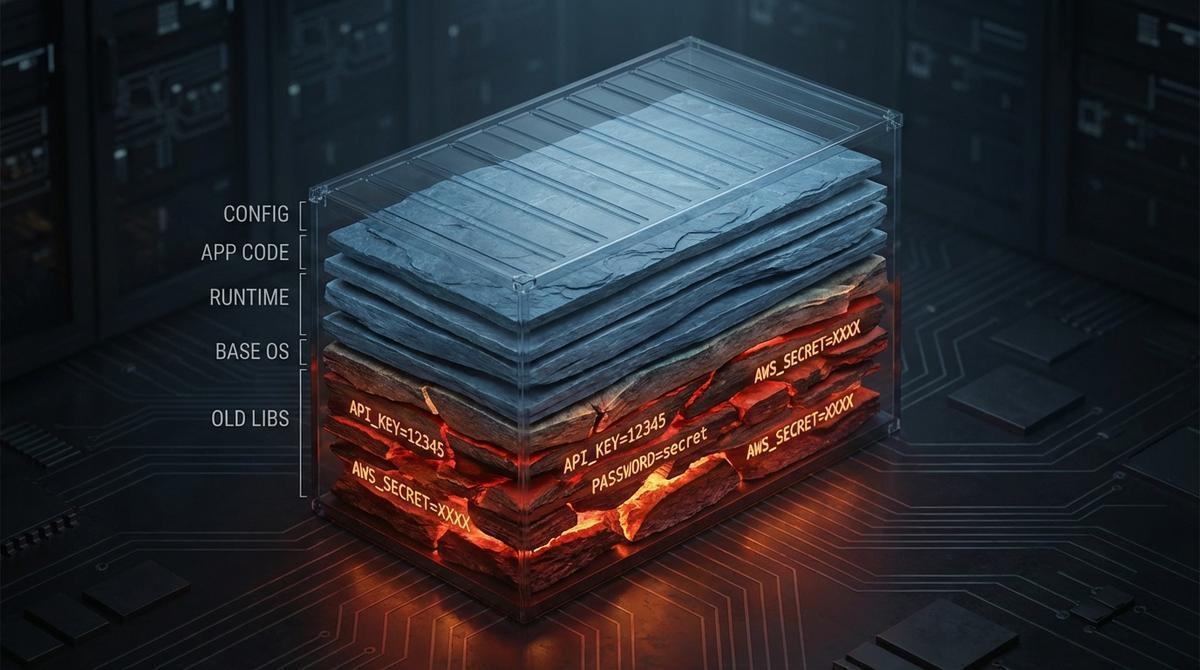
Every instruction in a Dockerfile creates a new layer. That layer is immutable. It’s a snapshot of the filesystem at that point in the build, and it lives forever in the image unless you actively squash or rebuild from scratch.
ENV variables are the obvious culprit, but they’re not the only one. RUN commands also capture their execution context in the layer metadata. That means any secret you download, write to a file, or pass as a build argument gets recorded.
Here’s the classic bad pattern:
FROM node:20-alpine

# Never do this
ENV STRIPE_SECRET_KEY=sk_live_abc123...

RUN npm install
COPY . .
CMD ["node", "server.js"]
The key is now in the image. Every copy of that image, on every machine, in every registry, has it.
ARG isn’t much safer:
ARG DATABASE_URL
RUN echo "DB=$DATABASE_URL" && npm run migrate
The value shows up in build history. Docker records ARG values in the layer metadata even when you don’t explicitly write them to the filesystem.
Check your own images right now
docker history --no-trunc my-app:latestThe --no-trunc flag matters. Without it, Docker truncates long layer commands and you’ll miss the actual values.
The output looks like this:
IMAGE          CREATED       CREATED BY
sha256:a1b2   3 hours ago   /bin/sh -c #(nop)  ENV STRIPE_KEY=sk_live_abc123...
sha256:c3d4   3 hours ago   /bin/sh -c npm install
sha256:e5f6   3 hours ago   /bin/sh -c #(nop) ADD file:... in /app
Every ENV instruction, every ARG that got used in a RUN, right there in history. No special tools needed. Anyone with read access to the image can run this command.
If your image is in a registry, anyone who can pull it can do this.
What doesn’t fix the problem
.dockerignore keeps files out of the build context, but it doesn’t touch secrets you’ve already embedded in ENV or ARG instructions. It’s the right tool for keeping your .env file out of the image, but it won’t help if you’ve already committed the mistake elsewhere in the Dockerfile.
Deleting in a later layer is one of the most common misconceptions:
ENV API_KEY=secret123
RUN do_something_with_key.sh
RUN unset API_KEY  # this does nothing
The layer where API_KEY was set still exists. The RUN unset command runs in a new layer, and the old layer still has the value. Docker doesn’t retroactively modify previous layers.
Multi-stage builds help with artifact hygiene, but they’re not a complete solution for secrets. If you set a secret in the build stage and it gets written to a file that ends up copied to the final stage, it travels with it. You still need to be careful about what crosses stage boundaries.
Secrets baked into Docker layers don't disappear when you rotate
API Stronghold injects short-lived scoped tokens at container startup. Your images hold zero credentials. A docker history audit comes up clean.
No credit card required
What actually works
BuildKit’s --mount=type=secret
BuildKit, Docker’s modern build engine, has a proper secret mount mechanism. The secret is available during the RUN command but never written to a layer:
# syntax=docker/dockerfile:1
FROM node:20-alpine

RUN --mount=type=secret,id=npm_token \
    NPM_TOKEN=$(cat /run/secrets/npm_token) \
    npm install

COPY . .
CMD ["node", "server.js"]
Build it like this:
docker buildx build \
  --secret id=npm_token,src=.npm_token \
  -t my-app:latest .
The secret is passed at build time, used in memory during that RUN step, and never persisted to any layer. docker history shows the command but not the secret value.
This works for build-time secrets: npm tokens, pip credentials, private repo access. It doesn’t help with runtime secrets (database URLs, API keys your app uses while running).
Runtime injection with short-lived scoped tokens
For runtime credentials, the answer is to not put them in the image at all. The application gets its credentials at startup from an external source.
The pattern looks like this: your app starts, calls a credentials endpoint or reads from a mounted secret store, gets a short-lived token scoped to exactly what it needs, and uses that token for the duration of its operation (or until it expires and needs to refresh).
A short-lived scoped token limits blast radius. If the token leaks, it expires. If the token is compromised, it only has access to the specific resource it was scoped for, not your entire credentials set.
This is the approach described in more detail in how to secure an AI agent with scoped secrets, which covers the credential proxy pattern that works for both traditional services and AI agents making outbound API calls.
The credential proxy pattern
Instead of giving your container direct access to raw API keys, you put a proxy in front of credential issuance. The container authenticates to the proxy (using its instance identity, a short-lived bootstrap token, or a service account), and the proxy returns a scoped credential with a TTL.
This means:
- No secrets in Docker images, ever
- No secrets in environment variables that persist in container metadata
- Every credential issuance is auditable
- Credentials expire automatically
The container becomes a credential consumer, not a credential store.
The bottom line
Old Docker images don’t disappear. They sit in registries, in CI caches, on developer laptops, in backup archives. Any secret that ever touched a layer is potentially recoverable by anyone who gets access to that image, even years later.
The fix isn’t discipline or process. It’s removing the opportunity entirely: BuildKit secret mounts for build-time credentials, runtime injection for application secrets, and short-lived scoped tokens that expire before they can cause lasting damage.
If you want to see how this works end to end for an application that makes outbound API calls, the scoped secrets pattern is a good starting point.
Old images, zero secrets. That's the goal.
Credentials injected at runtime never touch your image layers. No RUN commands with keys, no ENV vars, nothing for docker history to find.
No credit card required