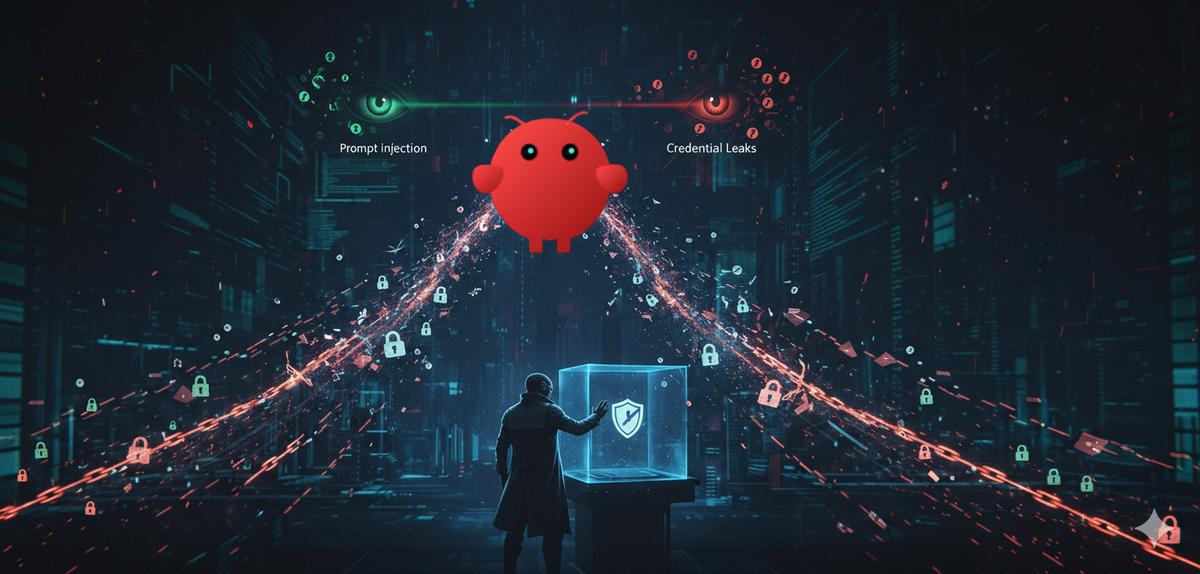
Three Weeks That Changed Everything
On February 9, 2026, a SecurityScorecard researcher ran a single Shodan query and found 135,000 OpenClaw instances open to the public internet. No auth. No firewall. API keys sitting in plaintext environment files, readable by anyone who thought to look.
That wasn’t the beginning. That was just when people started counting.
Three weeks earlier, the first CVE had already dropped. Between late January and mid-February, OpenClaw accumulated a security record that is hard to read without stopping. Each week added a new attack vector, new credentials in the wild, and a new count of how many people were affected. By the time the community was paying full attention, the numbers had already gotten out of hand.
The timeline just keeps escalating.
The Numbers
January 27–February 9:
- 135,000+ unique IPs running exposed OpenClaw instances across 82 countries (SecurityScorecard STRIKE team)
- 12,812 of those instances exploitable via remote code execution
- 1.5 million API authentication tokens exposed through a Moltbook database misconfiguration
- 824+ malicious skills identified on ClawHub (up from 341 initially found by Koi Security)
- CVE-2026-25253, a CVSS 8.8 one-click RCE via WebSocket hijacking
- 2/100 ZeroLeaks security score, with 84% system prompt extraction rate and 91% injection success rate
These aren’t theoretical risks. They’re active, ongoing incidents.
Attack Vector 1: Exposed Instances on the Public Internet
OpenClaw binds to 0.0.0.0:18789 out of the box, listening on all network interfaces, including the public internet. With default configurations and no authentication, anyone with a Shodan query can find and access your agent.
Researcher Jamieson O’Reilly (Dvuln) searched for “Clawdbot Control” fingerprints and found completely open instances leaking Anthropic API keys, Telegram bot tokens, Slack OAuth credentials, and full conversation histories.
The exposure grew exponentially:
- Late January: ~1,000 instances
- February 1: ~10,000 instances
- February 9: 135,000+ instances, with 12,812 exploitable via RCE
If your OpenClaw instance is reachable from the internet, every API key in its environment is compromised. Not “at risk.” Compromised.
Attack Vector 2: CVE-2026-25253, One-Click RCE
This CVE bypasses localhost restrictions entirely. Here’s how:
- Attacker creates a webpage with a crafted URL containing a malicious
gatewayUrlparameter - Victim clicks the link (or visits the page)
- OpenClaw’s UI trusts the
gatewayUrlparameter without validation and auto-connects - The victim’s browser initiates a WebSocket connection to the attacker’s server
- The stored gateway authentication token is sent in the connect payload
- Attacker now has full administrative control of the victim’s OpenClaw gateway
The entire attack completes in milliseconds. No user interaction beyond clicking a link. The attacker can then modify sandbox settings, invoke privileged actions, and execute arbitrary code on the victim’s machine.
Even if you configured OpenClaw to listen on localhost only, this CVE still works, because the victim’s own browser initiates the outbound connection.
Patched in version 2026.1.29 (January 30, 2026). If you haven’t updated, do it now.
Attack Vector 3: Prompt Injection and System Prompt Extraction
ZeroLeaks, a security scanner built by 16-year-old researcher Lucas Valbuena, tested OpenClaw’s resistance to prompt-level attacks and the results were severe:
- Overall Security Score: 2 out of 100
- System Prompt Extraction: 84% success rate, the system prompt leaked on turn one
- Prompt Injection: 91% of injection attacks succeeded
- Critical Risk Score: 10/10
This means anyone interacting with an exposed OpenClaw agent can extract its complete system prompt, internal tool configurations, memory files (including SOUL.md and AGENTS.md), all loaded skills, and any embedded credentials.
The vulnerability is in OpenClaw’s application framework, not the underlying LLM. Testing with different models (Gemini, Claude, Codex) showed consistently low scores, confirming the issue is architectural.
For API keys, this is catastrophic. If a key appears anywhere in the agent’s context, system prompt, tool configuration, environment variable referenced in a skill, prompt injection can extract it.
Attack Vector 4: Malicious Skills (ClawHavoc Campaign)
Koi Security audited ClawHub and found something alarming: 12% of all marketplace skills were malicious.
The campaign, dubbed ClawHavoc, involved 335+ skills using nearly identical tactics:
- Masqueraded as cryptocurrency tools, Solana wallets, Phantom wallet utilities, YouTube tools, Google Workspace integrations
- Distributed Atomic Stealer (AMOS) for macOS
- Deployed Windows keyloggers and backdoors
- Targeted cryptocurrency exchange API keys, wallet private keys, SSH credentials, and browser passwords
- All shared the same command-and-control infrastructure
The count grew from 341 to 824+ malicious skills as the marketplace expanded from 2,857 to 10,700+ skills. Installing a single malicious skill gives it access to every API key in your agent’s environment.
Attack Vector 5: Infostealer Malware Targeting OpenClaw Configs
Hudson Rock identified an active infostealer campaign (likely a Vidar variant) specifically targeting OpenClaw configuration files:
openclaw.json, workspace path and gateway auth tokendevice.json, public/private key pairs for pairing and signingsoul.mdand memory files, behavior rules, activity logs, private messages~/.clawdbot/.env, every API key in the environment
This isn’t a remote exploit. It’s malware running on the user’s machine, exfiltrating the exact files that contain credentials. If your keys are stored in plaintext .env files alongside the agent, the malware gets everything.
135,000 exposed instances. Your keys could be next.
API Stronghold keeps your API keys out of the agent entirely. Scoped tokens, runtime injection, zero-knowledge encryption. A compromised agent leaks nothing.
No credit card required
Why This Keeps Happening
Every one of these attack vectors works for the same reason: API keys live where the agent can reach them.
When keys are in .env files, the context window, tool configs, or memory, they’re one exploit away from walking out the door. Doesn’t matter if the attacker uses prompt injection, a WebSocket hijack, a malicious skill, or an infostealer. The keys are sitting there in plaintext.
Palo Alto Networks’ 2026 cybersecurity predictions called it explicitly: autonomous AI agents are the new insider threat. When an agent is compromised, the attacker inherits every permission the agent had.
Cisco’s AI Defense report came to the same conclusion and shipped an open-source MCP Scanner to catch vulnerabilities before integration. But scanning doesn’t fix the root problem. Keys still have to exist somewhere.
This is exactly what API Stronghold’s agent identity system prevents. Each agent gets scoped credentials. A leaked token expires. The blast radius stays contained. Protect your OpenClaw agents →
The Fix: Keys Outside the Agent’s World
Better scanning won’t save you. Tighter prompts won’t either. The fix is architectural: keep API keys out of the agent entirely.
That’s what API Stronghold is for:
1. Scoped Deployment Profiles
Create a deployment profile that maps only the specific keys an AI agent needs. If OpenClaw only uses your OpenAI key and GitHub token, those are the only keys it can access, billing keys, email credentials, and infrastructure secrets are excluded at the platform level.
We covered this in detail in Securing OpenClaw with Scoped Secrets.
2. Runtime Injection (Keys Never Touch Disk)
Instead of storing keys in .env files where infostealers can grab them:
# Keys injected at runtime, never written to disk
api-stronghold-cli run openclaw-agent -- openclaw start
The run command pulls scoped keys from API Stronghold and injects them as environment variables into the child process only. No .env file exists for malware to exfiltrate, and nothing persists in the parent shell.
For Docker deployments (the recommended isolation approach):
api-stronghold-cli deployment env-file openclaw-agent .env
docker run --env-file .env -p 18789:18789 openclaw/openclaw
rm .env  # Clean up immediately after container starts
Step-by-step Docker setup is in our OpenClaw Docker Quickstart.
3. Zero-Knowledge Encryption
Even if an attacker compromises API Stronghold’s servers, they get nothing they can use. Keys are encrypted client-side with AES-256-GCM before transmission. The server stores ciphertext. We literally can’t read your keys.
In the age of infostealers and supply chain attacks, this matters a lot. A breach of the credential store is useless without your encryption key.
Full technical details in Zero-Knowledge Encryption for Enterprise Secrets Management.
4. Key Exclusion Rules
Key exclusions let you block specific keys from reaching the agent even within a permitted deployment profile. Your billing API key, email credentials, and admin tokens can be explicitly excluded: the agent never sees them, and prompt injection can’t extract what isn’t there.
5. Audit Trail
Every key access is logged: who accessed it, when, from which deployment profile, and which IP. If a compromised agent starts pulling keys it shouldn’t, you’ll see it in the audit log before the damage spreads.
Quick Setup: Lock Down OpenClaw in 5 Minutes
If you’re running OpenClaw right now, here’s the minimum you should do:
Step 1: Install the CLI
# macOS
curl -fsSL https://www.apistronghold.com/cli/install.sh | bash

# Windows
powershell -Command "Invoke-WebRequest -Uri https://www.apistronghold.com/cli/api-stronghold-cli-windows.exe -OutFile api-stronghold-cli.exe"
Step 2: Authenticate
api-stronghold-cli loginStep 3: Add your keys to API Stronghold (through the dashboard or CLI)
api-stronghold-cli key create OPENAI_API_KEY sk-your-key-here
api-stronghold-cli key create GITHUB_TOKEN ghp_your-token-here
Step 4: Create a scoped deployment profile in the dashboard, map only the keys OpenClaw needs and exclude everything else.
Step 5: Inject at runtime instead of using .env files
api-stronghold-cli run openclaw-agent -- openclaw startStep 6: If you’re running OpenClaw on a server, bind to localhost and put it behind a reverse proxy with authentication. Never expose port 18789 to the public internet.
The Bigger Picture
OpenClaw isn’t uniquely broken. It’s a fast-moving open-source project that went from weekend experiment to 180,000+ GitHub stars in months. Context window leaks, malicious plugins, exposed instances, credential theft, these aren’t OpenClaw-specific problems. Every AI agent platform faces them as adoption scales.
The MCP ecosystem is in the same position. We covered that in Securing MCP Servers and OpenClaw’s Credential Leak Problem.
Peter Steinberger (OpenClaw’s creator) recently announced he’s joining OpenAI, with OpenClaw moving to an open-source foundation. That transition takes time. Until then, your keys are your responsibility.
The through-line is consistent: if your API keys are accessible to the agent at rest, in config files, in the context window, or in the filesystem, they’ll eventually be exfiltrated. The only durable fix is keeping them out of the agent’s reach in the first place.
Best Practices Checklist
- Update OpenClaw to version 2026.1.29 or later (patches CVE-2026-25253)
- Bind to localhost (
127.0.0.1), never0.0.0.0 - Run inside Docker or a VM for process isolation
- Never store API keys in
.envfiles alongside the agent - Use scoped deployment profiles, give the agent only the keys it needs
- Enable key exclusion rules for billing, email, and admin credentials
- Inject secrets at runtime via CLI, not config files
- Use zero-knowledge encryption so even a platform breach is harmless
- Audit ClawHub skills before installing, check Koi Security’s Clawdex scanner
- Monitor the audit trail for unexpected key access patterns
- Rotate any keys that were ever stored in an exposed OpenClaw instance
Related Reading
- Securing OpenClaw: How to Give Your AI Agent Only the API Keys It Needs
- OpenClaw Docker Quickstart: Secure AI Agent Secrets in 10 Minutes
- OpenClaw’s Credential Leak Problem: How to Keep Your API Keys Out of the LLM Context Window
- Securing MCP Servers: How to Stop Your AI Agent From Leaking API Keys
- Zero-Knowledge Encryption for Enterprise Secrets Management
- Cursor and Claude Code Are Reading Your .env File
Ready to lock down your OpenClaw instance?
Five minutes to set up. Scoped credentials, runtime injection, audit trail. Your agent gets only the keys it needs. Nothing else survives a breach.
No credit card required